The Postgres dashboard you've always wanted
Always-on history for every query, session, vacuum and checkpoint, with an Advisor that finds problems before they become outages.
1Sign up 2Install the agent 3Watch it fill in
About three minutes from signup to live charts. Free for one server, no credit card required.
See where the time went.
pgeye tracks every query around the clock: calls, mean time, rows, cache hits, WAL. When something turns slow, the history shows exactly when it started.

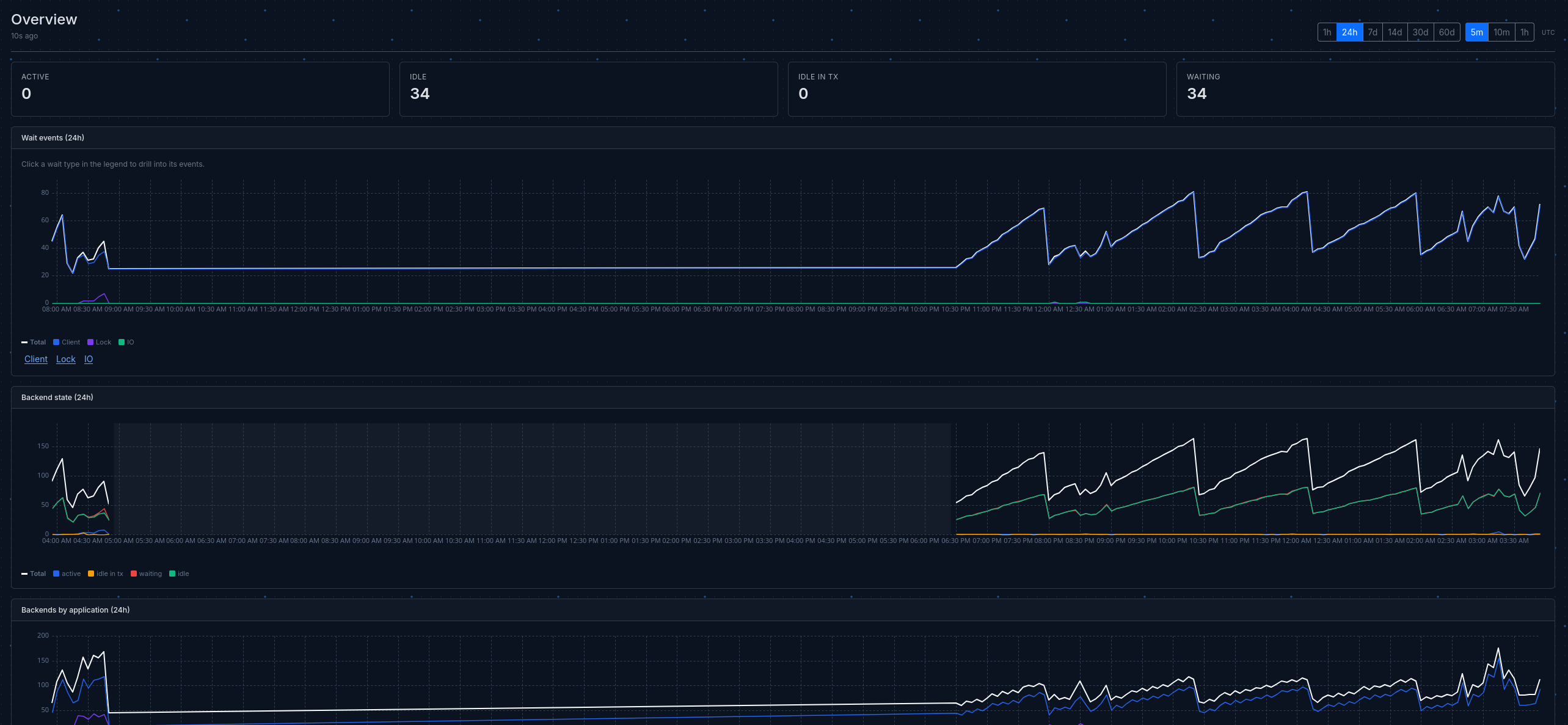
Debug ongoing issues at a glance.
Live connection states, wait events and lock chains, down to the backend at the head of the queue: what it's running, how long it's been at it, and who's stuck behind it.
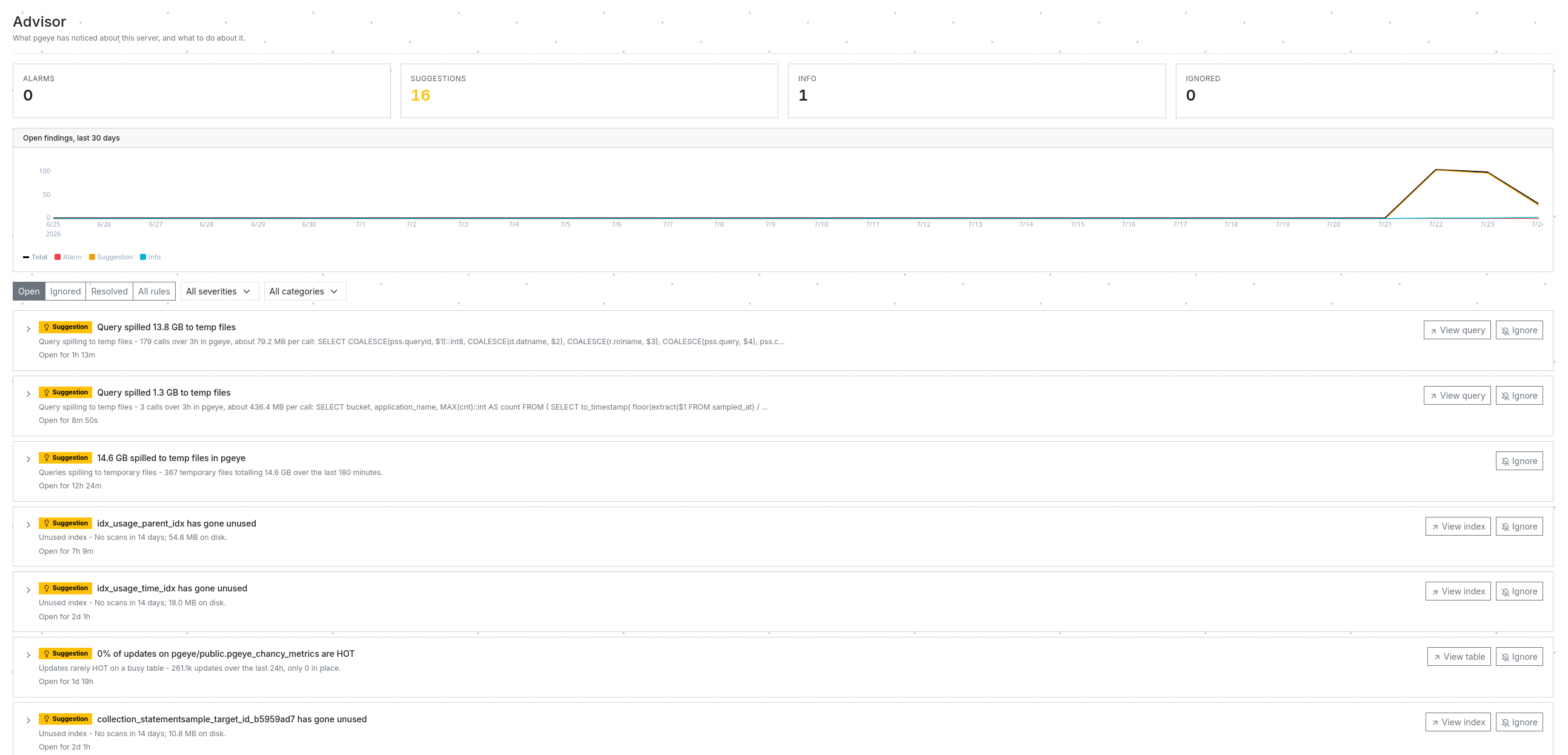
An advisor that names the problem.
pgeye checks every server against more than 50 rules drawn from real Postgres operations: sequences quietly running out of integers, foreign keys with no index behind them, queries spilling to temp disk, vacuum falling behind on a busy table. Each finding says what it is, where it is, and what to review. Get alerts on Slack, Discord, PagerDuty or email.
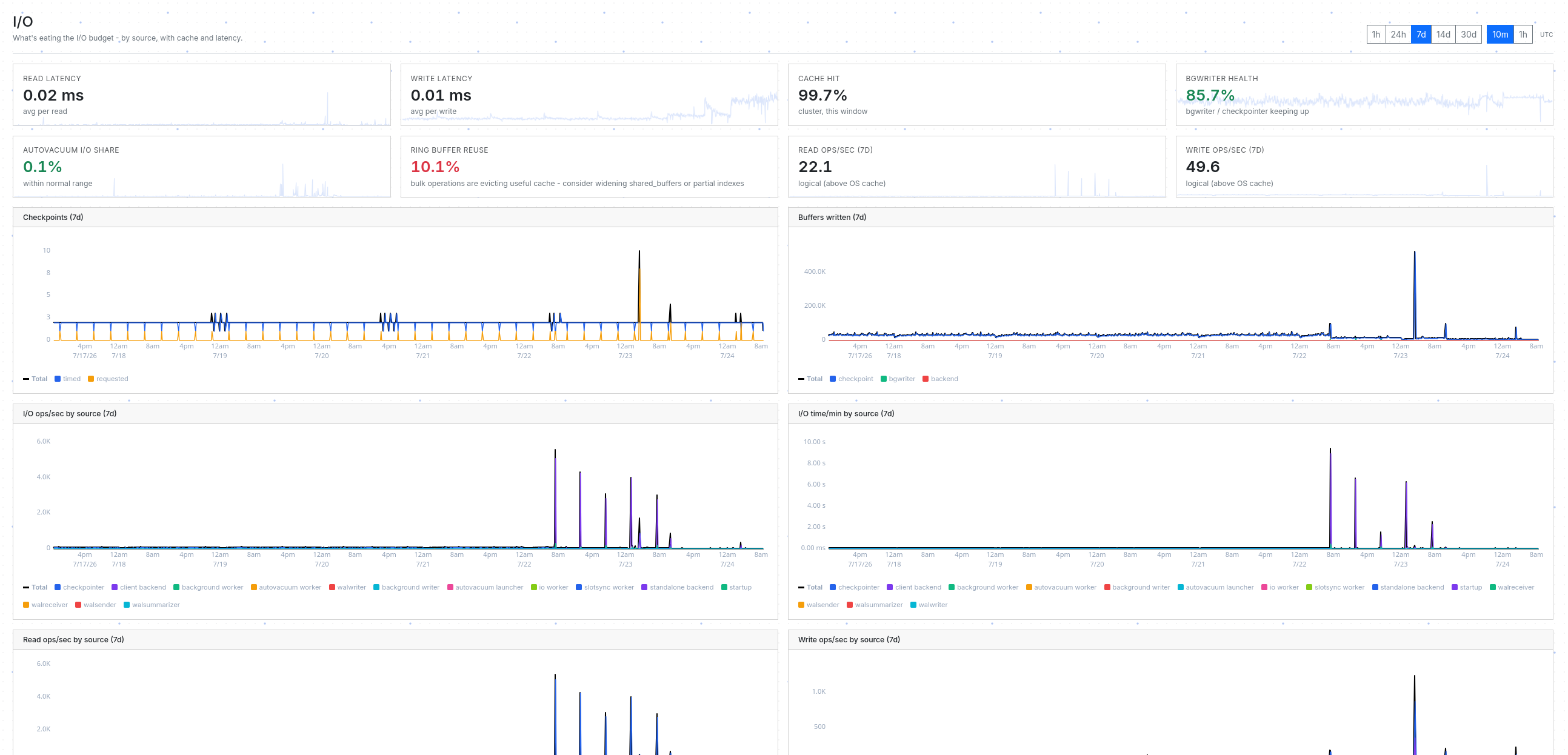
When the disk is busy, know why.
Read and write latency, cache hit rates, and every operation split by who did it: your queries, checkpoints, the background writer, autovacuum. When write pressure climbs, see whether checkpoints are firing early, backends are flushing their own pages, or a vacuum is churning through a big table.
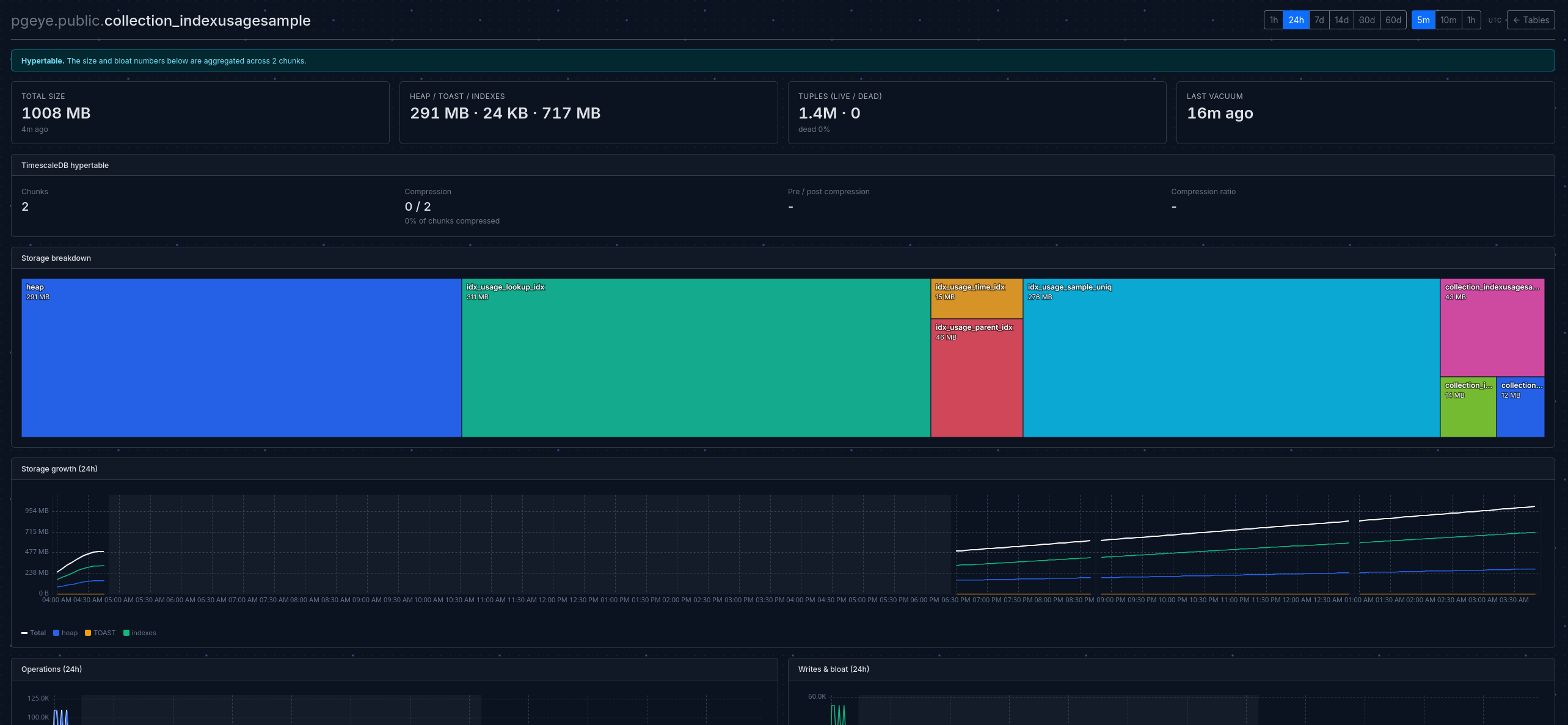
Catch storage problems early.
Per-table sizes, dead-row ratios, vacuum cadence and growth over time. Find the next problem table before autovacuum gives up.
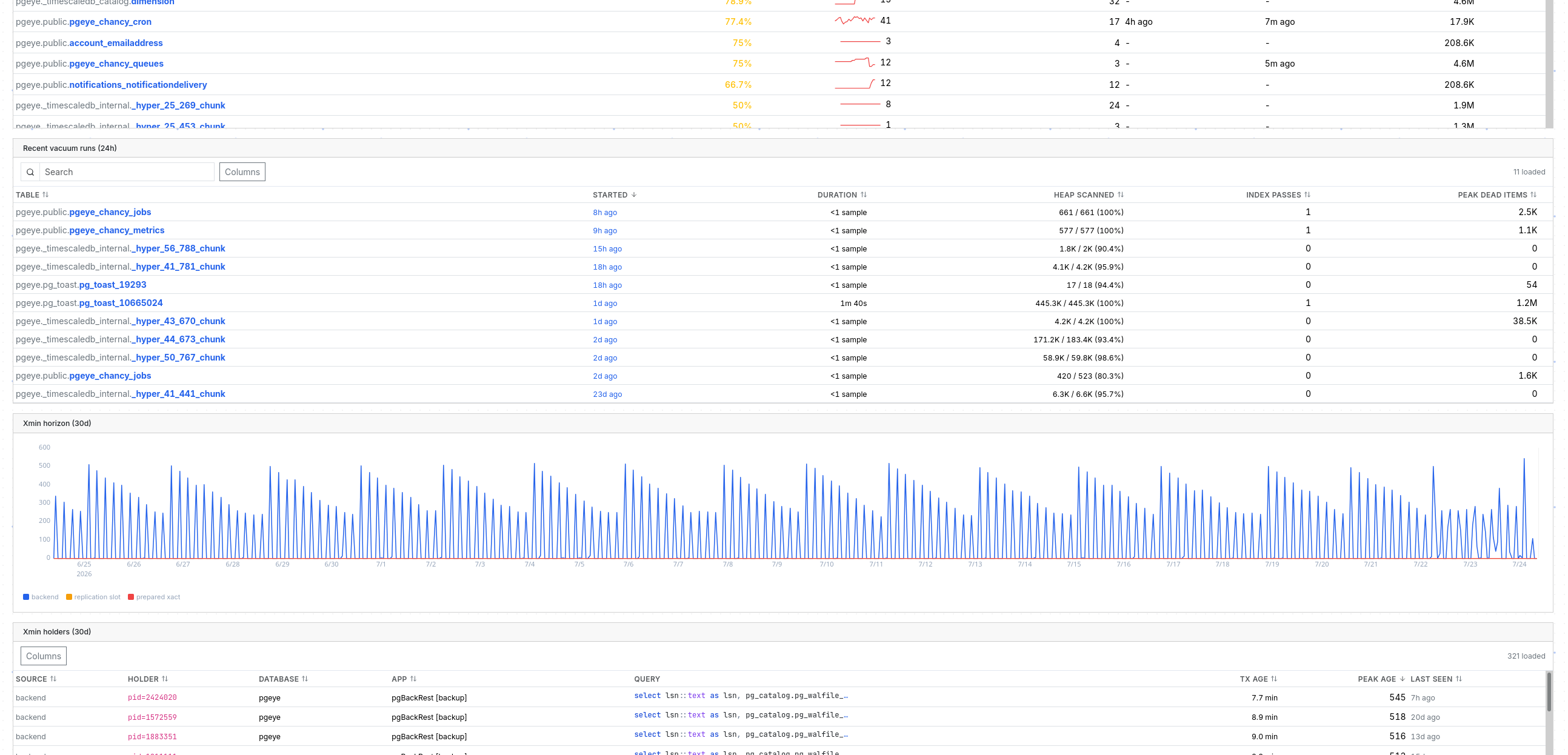
Is vacuum keeping up?
pgeye answers that per table: dead rows against each table's real thresholds, live progress for vacuums running right now, and a history of recent runs with what each one actually reclaimed.
And when vacuums run but clean nothing, pgeye names the snag: the idle transaction, stale replication slot or prepared transaction pinning the xmin horizon.
SELECT *
FROM users
WHERE email = 'alice@example.com'
AND password_hash = '$2b$12$...'SELECT *
FROM users
WHERE email = $1
AND password_hash = $2Your data stays on your side of the wire.
The agent runs inside your network and makes only outbound calls. We never connect to your database - there are no inbound rules to add, no firewall holes to punch.
Query text is fingerprinted and normalized at the agent before anything leaves the host. Literals and parameters are stripped - what reaches pgeye is the query's shape, not its data.
Partitions and hypertables, rolled up by default.
Other tools show your events table as 200 rows of
_hyper_42_*_chunk noise, each with a fraction of
the real counters. pgeye understands your partitions, and your
TimescaleDB hypertables too.
The result: one row for the table that exists in your schema, with totals that match reality - and a one-click expand when you actually want to see the chunks.
| events | 0 calls |
| _hyper_42_3001_chunk | 1.2M |
| _hyper_42_3002_chunk | 980K |
| _hyper_42_3003_chunk | 850K |
| … 197 more rows | |
| events hypertable · 200 chunks | 12.4M |
Built for the Postgres you actually run.
Every change we ship is tested against five Postgres majors.